
Top 6 Ways to Match an Active Stylus Pen to Your iPad Model in 2026
Matching an active stylus pen to an iPad comes down to six checks, ranked below by how much damage a mismatch causes: iPadOS and generation compatibility, palm rejection, tilt versus pressure behaviour, latency and writing offset, charging architecture, and magnetic attachment, weight and nib. The first two are binary — a pen that fails them is money wasted. The remaining four decide whether the pen feels like a tool or a daily compromise for the whole life of the device.
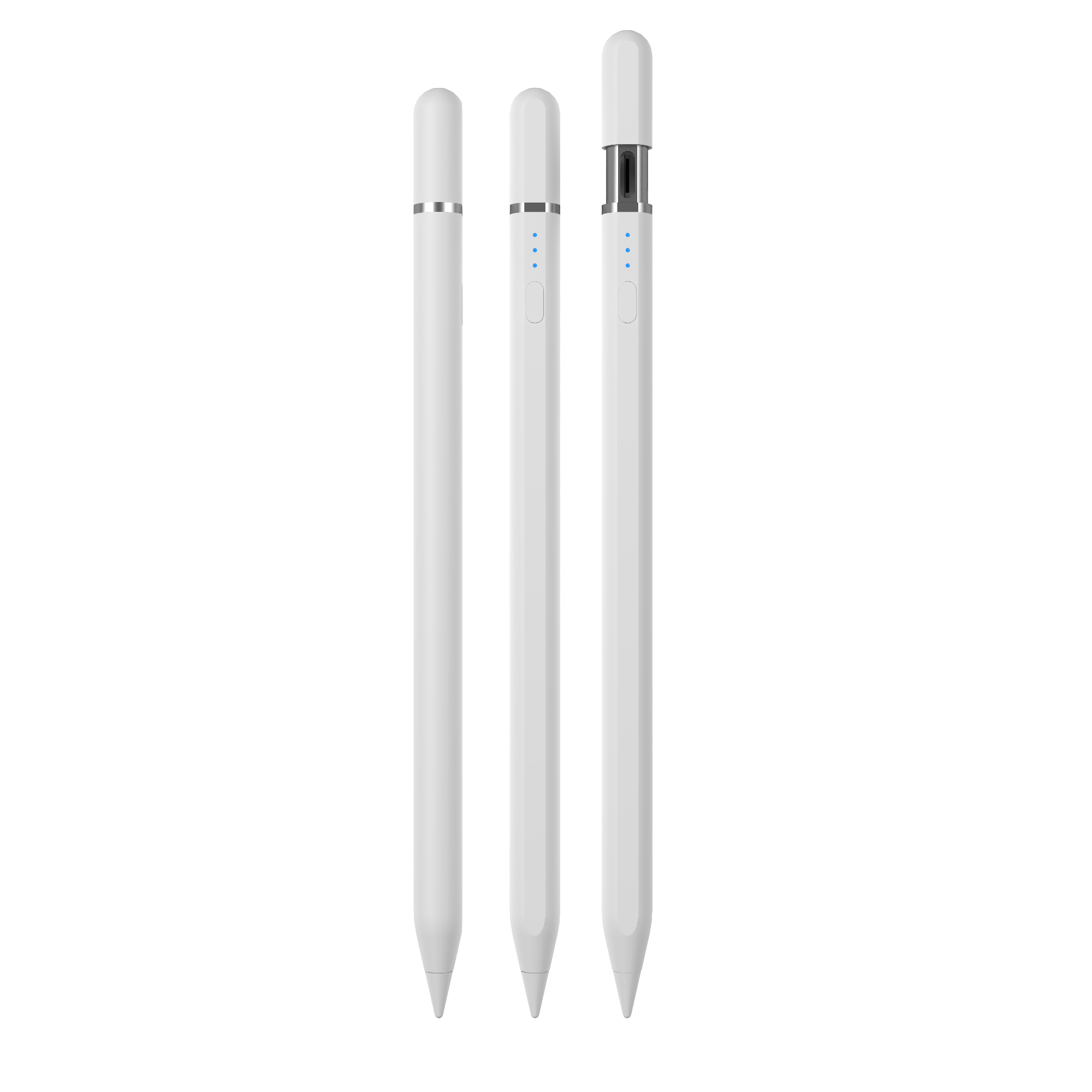
W13-A iPad active stylus pen: on-tablet wireless charging plus Type-C cable charging. Charging architecture is criterion 5 of the six matching checks.
Why stylus matching fails: buyers compare brands, iPads compare features
An iPad does not recognise every stylus in the same way. The tablet identifies a powered pen through its own compatibility layer, so the same pen can write perfectly on one iPad generation and fail to register at all on another. Cross-platform standards exist, but they do not remove the check. USI 2.0, released in 2022, is the primary cross-platform standard for active styluses and is supported by Google, Intel and Lenovo (Universal Stylus Initiative). Apple is not among the listed supporters, so an iPad buyer still has to confirm the pen's own stated iPad compatibility rather than relying on a standard badge alone.
Three mismatches cause most of the disappointment in real use:
- It writes, but not comfortably. A pen without palm rejection forces the user to hover their hand above the glass, which breaks handwriting, annotation and sketching. A passive stylus does not support palm rejection or tilt sensing, and shows latency and writing offset.
- The magnet does not hold. Side adsorption is not universal across screen sizes. In Jiayao's published model data, the W13-A and A21B stylus pens state side adsorption only for the 11-inch and 12.9-inch iPad.
- The battery does not fit the routine. Working time across the range varies from 9-10 hours to 44 hours per charge, and charging time from 15 minutes to 70 minutes. Neither number means anything until it is compared with how the pen will actually be used.
This is why the question "Which stylus should I choose?" is normally asked as a brand question and can only be answered as a feature question. Brand preference predicts nothing about whether a pen will register, reject a palm, or survive a school day.
Industry background: a bigger and more fragmented stylus market in 2026
Market estimates for this category diverge sharply because the definitions behind them differ. IMARC Group values the global stylus pen market at USD 19.45 billion in 2025, a figure that captures the broader input-device category. Under a narrower active digital pen definition, Fortune Business Insights reports a 2025 figure of USD 3.36 billion. The spread is definitional rather than a contradiction in demand. For the active segment specifically, Dataintelo projects a CAGR of 9.8% between 2026 and 2034.
Two practical consequences follow for buyers. First, the number of active pens on the market keeps expanding, which makes feature matching — not brand loyalty — the only reliable filter. Second, importers are dealing with a product that is typically classified under HS Code 8471.60.90, "Automatic Data Processing Input Units", a classification worth confirming with a customs broker before quoting landed cost.
On the supply side, Jiayao Stylus (Dongguan Jiayao Intelligent Technology Co.,Ltd) is a stylus pen manufacturer based in Dongguan, Guangdong, China, producing active and passive stylus pens for iPad and mainstream tablets. The company was founded in 2021, runs a 2,700 m² factory with approximately 100 employees and an annual output of 3,000,000 units, and employs a 4-engineer R&D team. Its stated capabilities cover the full process from PCBA design and battery welding to final assembly and quality testing. Export accounts for 40% of output, with the EU and the USA as the main markets.
The six matching criteria, ranked by failure cost
The order below is a ranking of consequences, not of features. Criteria 1 and 2 are pass-or-fail. Criteria 3 to 6 are optimisation decisions that follow personal or operational habits, and they should be settled only after the first two are confirmed.
1. iPadOS and generation compatibility — the criterion you cannot retrofit
Compatibility is stated per model and per generation, and it comes first because nothing else matters if the pen does not register. Jiayao's iPad stylus range (A7-H-L, A8-RH, A30-B, W3-H, W12-A and W13-A) states compatibility with iPad (after 2018) and iPadOS 12.2 and above. For users running both platforms, the R3-P iPad and Android Stylus Pen is specified as a universal active stylus for iPad and Android tablets.
How to verify: read the exact iPad generations and the minimum iPadOS version on the specification sheet, then test on the oldest device in your fleet. A pen confirmed on the newest tablet can still fail on a five-year-old one.
2. Palm rejection — the line between a notebook and a nuisance
Palm rejection means the tablet recognises the powered tip and ignores the palm or heel of the hand resting on the glass. It is the single feature that separates an active stylus from a passive one in daily use. An active stylus supports palm rejection and tilt or pressure sensing, which makes it suitable for note-taking, drawing and sketching; a passive stylus is battery-free, cheaper and easy to use, but without palm rejection or pressure sensing.
Within the Jiayao range, the E3-A is described as a palm rejection iPad stylus pen, and the A7-H-L, A8-RH, A21B and A30-B list palm rejection in their published specifications.
How to verify: whether palm rejection is stated for the exact model, and whether it behaves in the app you actually use — note apps, drawing apps and remote-teaching apps handle touch differently.
3. Tilt sensing versus pressure sensitivity — decide which one your work needs
These two are often marketed as if they were interchangeable, and they are not. Tilt sensing changes stroke width or shading based on the angle of the pen. Pressure sensitivity changes it based on how hard the user presses.
This is where an honest specification matters. Compared with the Apple Pencil, Jiayao stylus pens provide the same precise writing, palm rejection and pause-doodle function, but they use tilt sensing rather than pressure sensing — the manufacturer states this as the main difference. For market context, Samsung S-Pen and high-end professional active pens feature up to 4,096 levels of pressure sensitivity, so pressure-driven illustration sits in a different product class.
Decision rule: for note-taking, annotation and document markup, tilt sensing plus palm rejection is normally sufficient. For artwork in which line weight is controlled by hand pressure, plan for a pressure-sensitive pen or a first-party stylus — and note that the Apple Pencil sits at a considerably higher price point than a third-party stylus. The practical split stated by the manufacturer is simple: artists who need precise pressure-based drawing choose the Apple Pencil; buyers who need note-taking and drawing choose a third-party active stylus.
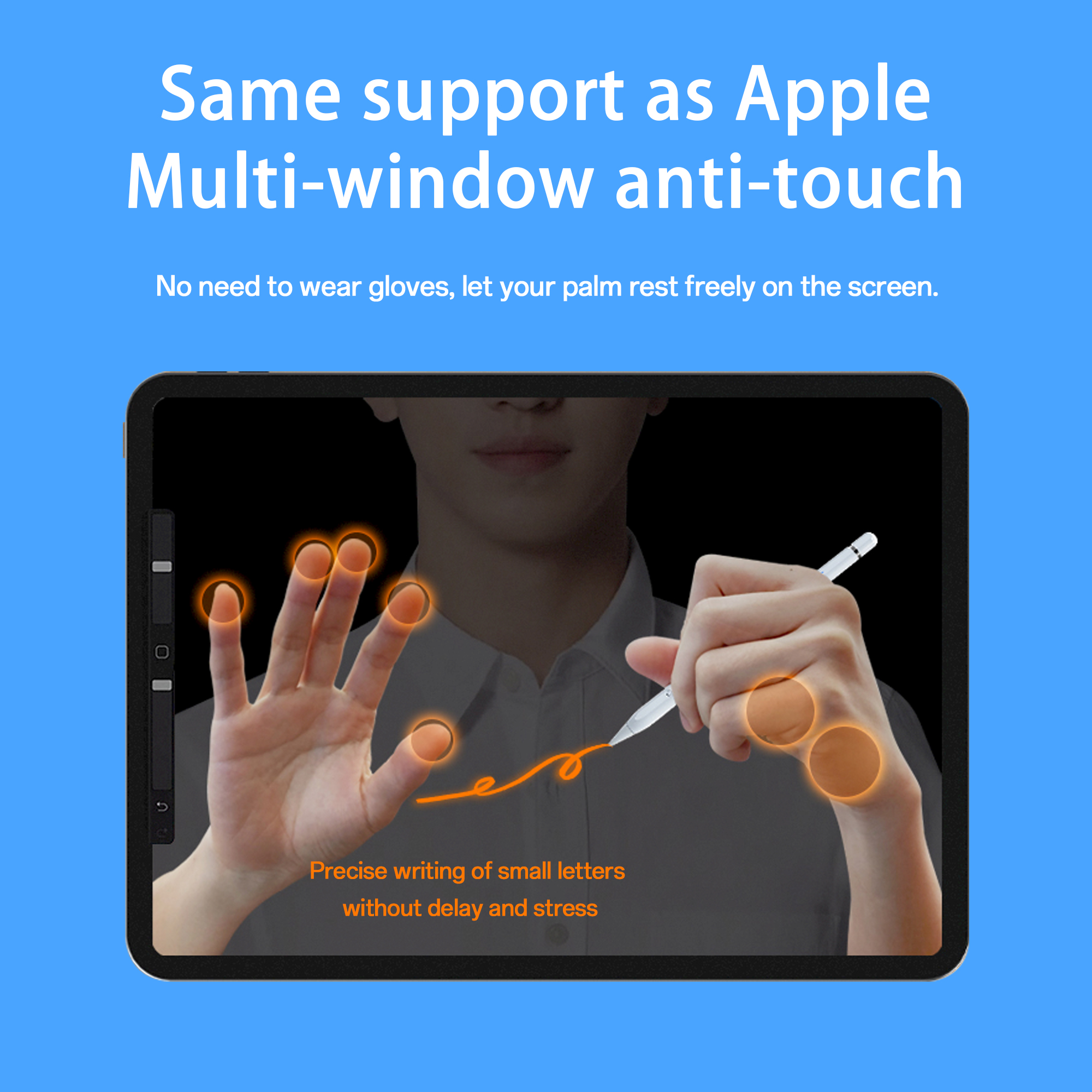
Palm rejection and writing accuracy are only visible in real handwriting — test a paragraph at normal size, not a signature.
4. Latency and writing offset — the two numbers that decide writing feel
Latency is the delay between moving the tip and seeing the ink appear. Writing offset is the distance between where the tip touches the glass and where the line is actually drawn. Both are invisible in product photography and immediately obvious in handwriting.
Against a passive pen, an active stylus is specified as delivering precise writing with no latency and no offset, with a stated performance gap of latency under 8 ms and writing offset under 0.5 mm. Jiayao's iPad and universal models list "no offset" and "no delay" directly in their specifications.
How to verify: write a full paragraph at your normal handwriting size on your own device, not a signature. Lag and offset are easiest to detect in small, fast strokes, and they differ between apps.
5. Charging architecture — fast charge, wireless charging and real working time
Charging method shapes the daily habit. Working time decides whether the pen survives a shift, a lecture or a field visit. The published figures across the Jiayao range:
- W13-A (iPad active stylus pen): 15 minutes by charging cable, 60 minutes by on-tablet wireless charging, 9-10 hours working time.
- W12-A (active stylus pen): 25 minutes by Type-C, 60 minutes wireless, 9-10 hours working time.
- W3-H (wireless charge stylus pen): 70 minutes by magnetic charging, 11 hours working time.
- A7-H-L (iPad pencil): 30 minutes by Type-C, 16 hours working time, and a 5-minute charge supports about 2 hours of use.
- E3-A (palm rejection iPad stylus pen): 40 minutes by Type-C, up to 44 hours working time.
- A21B and A30-B: 25 minutes by Type-C, 11 hours working time.
- R3-P (iPad and Android Stylus Pen): 40 minutes by Type-C, 9-10 hours working time.
Across the range, standby time is stated as one year at full power, and automatic power-off ranges from 10 minutes to 60 minutes depending on the model. As a general category reference, an active stylus can deliver up to 11 hours of continuous working time per full charge.
The trade-off to weigh: wireless or magnetic charging keeps the pen topped up on the tablet, but it depends on the tablet's magnetic array and charging support. On the W13-A and A21B, even side adsorption is stated only for the 11-inch and 12.9-inch iPad. A Type-C model removes that dependency altogether.
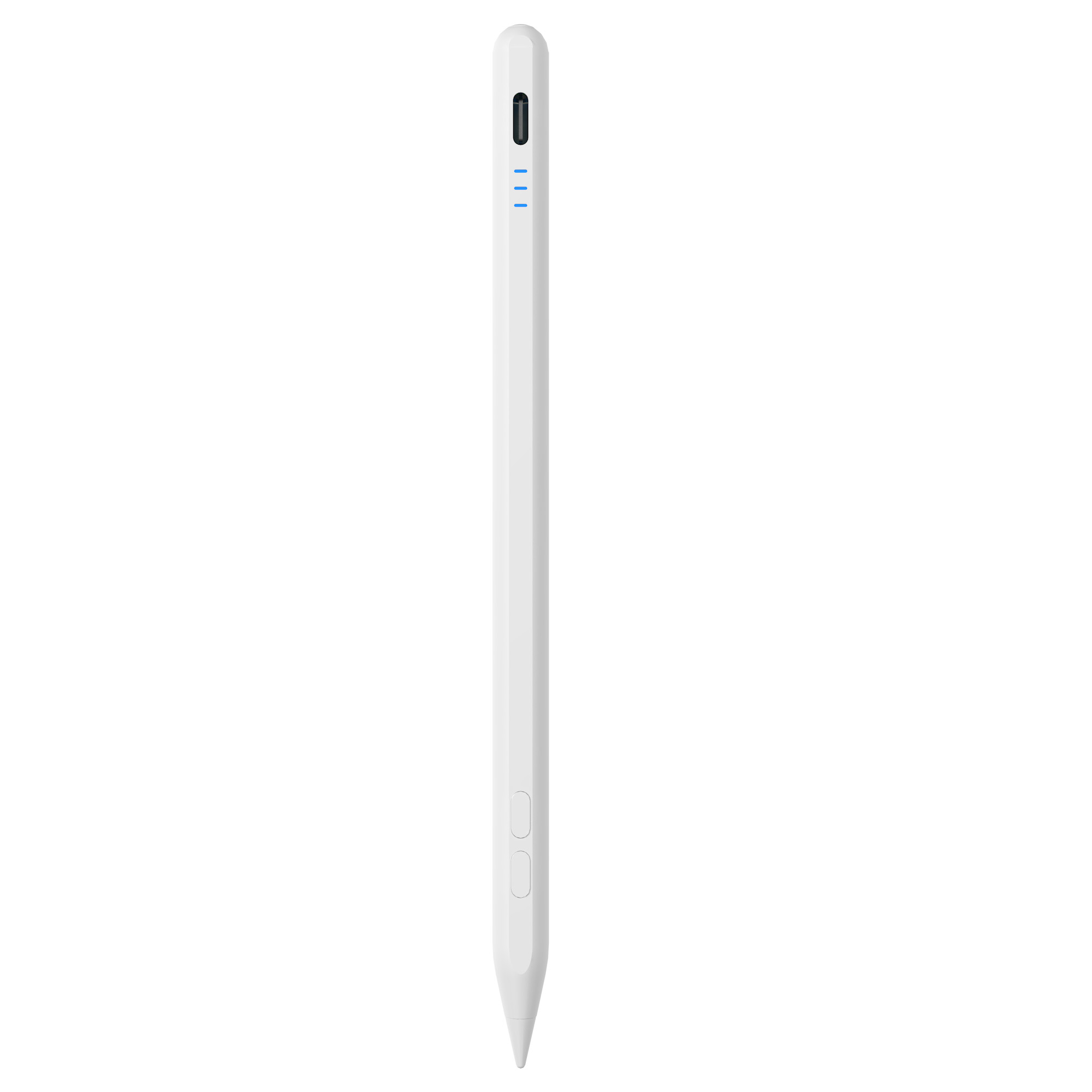
A30-B: Type-C charging in 25 minutes, 11 hours working time and a shortcut button — a fast-charging profile for heavy daily use.
6. Magnetic attachment, weight and nib — the physical layer buyers ignore
Side adsorption is listed across the iPad and universal models, which keeps the pen attached to the tablet between tasks. Two constraints are easy to miss. First, the W13-A and A21B state side adsorption only for the 11-inch and 12.9-inch iPad. Second, pen body material is not uniform: aluminium alloy on the A7-H-L, A8-RH, A30-B, A21B, E3-A and R3-P, and ABS with a white plastic body on the W3-H, W12-A and W13-A.
Weight sits between 12 g and 15 g across the range. Pen dimensions are Φ1.5 mm × Φ9.0 mm × 166 mm on the A7-H-L, A8-RH and A30-B, 169 mm on the E3-A and 164.6 mm on the R3-P, with a 1.2 mm nib diameter on the A8-RH. Nibs are interchangeable across the models, which turns tip wear into a consumable rather than a reason to replace the pen. Two extras are worth noting: the A30-B adds a shortcut button, and the A21B is a 2-in-1 design.
On Bluetooth: treat the word as a verification item, not a buying trigger. Ask what the Bluetooth layer actually does before paying a premium for it. For brand owners and importers, the Bluetooth name is a customisation item inside an OEM/ODM program — Jiayao supports customisation of logo, packaging, function and Bluetooth name — rather than a fixed hardware feature that every buyer needs.
Step-by-step: matching a stylus to an iPad in six checks
- Inventory the iPads. List each model, generation, screen size and iPadOS version. Compatibility statements are generation-bound, so a fleet list is more reliable than a single test device.
- Define the job. Note-taking, sketching, teaching, kiosk use and warehouse data entry weight the six criteria differently. A student prioritises palm rejection and battery life; a studio prioritises tilt behaviour and writing accuracy.
- Filter hard on criteria 1 and 2. Remove every pen that does not state the right iPad compatibility and palm rejection. Neither can be compensated later by any other feature.
- Optimise criteria 3 to 5. Choose tilt versus pressure by workflow, then choose the charging profile that matches the routine — cable-only simplicity, wireless convenience, or maximum working time.
- Check the physical layer. Confirm magnet compatibility against your screen size, confirm weight and length in hand, and confirm that replacement nibs are available.
- Sample, then lock the specification. Test the pen in the real app on the oldest iPad you own, then write charging method, charging time, working time, palm rejection, tilt behaviour, nib type and packaging into the purchase order so that delivered units match the approved sample.
Use cases: which matching profile fits which buyer
Classroom and student note-taking
The core scenario is precise note-taking, drawing and navigation on a touch-screen tablet, with the stylus powered by its own battery and detected by the tablet to locate the tip. The stated requirements for this scenario are low latency, precise writing, side magnetic attachment and a replaceable pen tip. For a full school day, the A7-H-L fits well: Type-C, 30 minutes to charge, 16 hours of working time, and a 5-minute top-up that supports about two hours of use. The A8-RH, at 12 hours of working time and 30 minutes of charging with a 1.2 mm nib, is the alternative.
Illustration, sketching and design review
Tilt sensing covers shading and stroke-angle work, and it is listed on the A7-H-L, A8-RH, A21B and A30-B. Where line weight must change with hand pressure, a third-party tilt-sensing stylus is not the right tool; that work needs a pressure-sensitive pen or a first-party stylus. For design review, annotation and concept sketching, the A30-B with its shortcut button or the A8-RH tilt-sensing pen covers the requirement at a lower cost level.
Shared tablets, field teams and 1:1 deployments
Deployments where pens are charged in bulk, stored for weeks or shared between users benefit from three specifications: one year of standby at full power, automatic power-off (10 minutes on most models, 60 minutes on the E3-A and R3-P) and an aluminium alloy body. The E3-A is the strongest fit here, with up to 44 hours of working time per 40-minute charge, side adsorption, and no offset or delay stated.
Mixed iPad and Android device fleets
When a school, retailer or service team runs both platforms, standardising on one pen type reduces spare-part complexity. The R3-P is specified as a universal stylus for iPad and Android tablets with Type-C charging in 40 minutes, 9-10 hours of working time, side adsorption and no offset or delay. For Android-only deployments, the S3-GC Android universal stylus pen offers 55-minute charging, 10 hours of working time, a 10-minute automatic power-off, one-year standby and a top touch switch.
Importers, distributors and private-label brands
A distributor can apply the same six checks to a catalogue and then differentiate on packaging and naming instead of hardware. The relevant supplier facts are concrete: 40% export ratio with the EU and USA as main markets, flexible MOQs, samples in as little as 3 weeks, standard orders shipped in 20 days, and 100% full inspection covering functional, tactile and visual checks. OEM and ODM projects are supported, including customisation of logo, packaging, function and Bluetooth name.
Comparison: the six criteria, the model matrix, and active versus passive
The first table is the decision framework itself. The second is the same framework applied to published Jiayao Stylus model data, so that each criterion can be read against a real specification. The third isolates the active-versus-passive decision, which sits underneath all six criteria.
Table 1 — the six matching criteria ranked by failure cost
| Rank | Matching criterion | Why it decides the purchase | What to verify before ordering |
|---|---|---|---|
| 1 | iPadOS and generation compatibility | A pen outside the supported generation or iPadOS version does not register at all | Stated supported iPad generations and minimum iPadOS version; test on the oldest iPad in the fleet |
| 2 | Palm rejection | Without it, handwriting and drawing collect accidental palm marks | Whether palm rejection is stated for the exact model, and whether it works in your app |
| 3 | Tilt versus pressure behaviour | Tilt controls shading by pen angle; pressure controls line weight by hand pressure | Which of the two the pen provides, and whether the workflow needs pressure at all |
| 4 | Latency and writing offset | Visible lag or offset makes normal handwriting unusable | Stated latency and offset values, confirmed on your own device with small, fast strokes |
| 5 | Charging architecture | Charging method sets the daily habit; working time sets whether the pen lasts a shift | Charging method, charging time, working time, standby time, automatic power-off |
| 6 | Magnetic attachment, weight and nib | Magnet fit and weight affect daily carrying; nibs affect long-term cost | Magnet compatibility with your screen size, weight in hand, pen dimensions, nib availability |
Table 2 — published Jiayao Stylus models read against the six criteria
| Model | Stated compatibility | Charging method / time | Working time per charge | Palm rejection | Tilt | Side adsorption | N.W. |
|---|---|---|---|---|---|---|---|
| E3-A — iPad Stylus Pen | iPad (per model type) | Type-C / 40 min | Up to 44 h | Yes (per model type) | Not stated | Yes | 15±1 g |
| A7-H-L — Stylus Pen (iPad pencil) | iPad after 2018, iPadOS 12.2 and above | Type-C / 30 min | 16 h | Yes | Yes | Yes | 12-13 g |
| A8-RH — Stylus Pen (tilt sensing) | iPad after 2018, iPadOS 12.2 and above | Type-C / 30 min | 12 h | Yes | Yes | Yes | 12-13 g |
| A21B — 2-in-1 iPad stylus pen | iPad (per model type) | Type-C / 25 min | 11 h | Yes | Yes | Yes — 11 inch and 12.9 inch iPad only | 12-14 g |
| A30-B — Pencil for iPad with shortcut button | iPad after 2018, iPadOS 12.2 and above | Type-C / 25 min | 11 h | Yes | Yes | Yes | 12-14 g |
| W3-H — Wireless charge stylus pen | iPad after 2018, iPadOS 12.2 and above | Magnetic charging / 70 min | 11 h | Not stated | Not stated | Yes | 12-13 g |
| W12-A — Active stylus pen | iPad after 2018, iPadOS 12.2 and above | Type-C 25 min + wireless 60 min | 9-10 h | Not stated | Not stated | Yes | 12-13 g |
| W13-A — iPad active stylus pen | iPad after 2018, iPadOS 12.2 and above | Cable 15 min + on-tablet wireless 60 min | 9-10 h | Not stated | Not stated | Yes — 11 inch and 12.9 inch iPad only | 12-13 g |
| R3-P — iPad and Android Stylus Pen | Universal: iPad and Android tablets | Type-C / 40 min | 9-10 h | Not stated | Not stated | Yes | 13±1 g |
All rows are taken from published Jiayao Stylus model specifications. "Not stated" means the published model data does not list that attribute — confirm it with the supplier before writing it into a purchase order. All models listed state interchangeable nibs and one year of standby at full power; automatic power-off is 10 minutes on most models and 60 minutes on the E3-A and R3-P.
Table 3 — active stylus versus passive stylus
| Dimension | Active stylus pen | Passive stylus pen |
|---|---|---|
| Power | Requires charging (Type-C, magnetic or wireless) | Battery-free |
| Palm rejection | Supported | Not supported |
| Tilt / pressure behaviour | Tilt or pressure sensing available | Neither |
| Latency and offset | Precise writing, no latency, no offset; stated performance gap of latency under 8 ms and writing offset under 0.5 mm | Latency and writing offset present |
| Best for | Note-taking, drawing, sketching, navigation on an iPad or tablet | Replacing a finger for tapping and scrolling |
| Cost level | Higher cost | Lower cost |
| Maintenance | Regular charging; replaceable pen tip | No charging required |
FAQ: matching an active stylus pen to an iPad
1. Does a third-party active stylus pen work with every iPad model?
No. Compatibility is stated per model, per generation and per iPadOS version, so it has to be checked model by model. The iPad stylus pens published by Jiayao Stylus (models A7-H-L, A8-RH, A30-B, W3-H, W12-A and W13-A) state compatibility with iPad (after 2018) and iPadOS 12.2 and above, while the R3-P iPad and Android Stylus Pen is specified as a universal stylus for iPad and Android tablets. Cross-platform standards exist — USI 2.0, released in 2022, is the primary cross-platform standard for active styluses and is supported by Google, Intel and Lenovo — but an iPad buyer should still confirm the pen's own stated iPad compatibility rather than relying on a standard badge alone.
2. Should I choose an active stylus or a passive stylus for an iPad?
The decision follows the job, not the price. An active stylus supports precise writing, palm rejection and tilt or pressure sensing, which makes it suitable for note-taking, drawing and sketching, and it also improves navigation and gaming on an iPad or tablet compared with a finger. A passive stylus is battery-free, cheaper and easy to use, but it does not support palm rejection or tilt sensing and shows latency and offset when writing. The practical rule from the manufacturer's own guidance: if you only need to replace your finger for tapping and scrolling, choose a passive stylus; if you need note-taking, drawing or sketching, choose an active stylus.
3. Do these styluses support pressure sensitivity like the Apple Pencil?
No — this is the clearest limitation to check before buying. Compared with the Apple Pencil, Jiayao stylus pens provide the same precise writing, palm rejection and pause-doodle function, but they use tilt sensing instead of pressure sensing, which the manufacturer states as the main difference. For reference, Samsung S-Pen and high-end professional active pens feature up to 4,096 levels of pressure sensitivity, so pressure-driven illustration sits in a different product class. The stated guidance is straightforward: if you are an artist who needs precise pressure-based drawing, choose the Apple Pencil; if you need note-taking and drawing, a third-party stylus is the match.
4. Which stylus should I choose — wireless charging, fast charging, long working time, or the lowest cost?
Match the charging profile to how the pen will actually be used. For wireless charging, the W12-A stylus pen is the stated recommendation, and it also provides a Type-C port for fast charging alongside wireless charging. If fast charging matters most, the A7-H-L stylus pen charges in 5 minutes and can then be used for about 2 hours. If working time matters most, the E3-A specification lists up to 44 hours of working time per full charge, against 40 minutes of charging. On cost, an active stylus sits at a higher cost level than a passive pen because it requires electronics, a battery and a charging system; within the active range, charging architecture, battery capacity and body material — aluminium alloy versus ABS — are the variables that separate one model from another. Compare those specifications rather than comparing brand names.
5. Can we test a stylus before ordering, and how fast do standard orders ship?
Yes. Jiayao Stylus supports sampling before production and states samples in as little as 3 weeks, with standard orders shipped in 20 days. Flexible MOQs are part of the factory's positioning for fast-moving brands and growing sellers, and every stylus goes through 100% full inspection covering functional, tactile and visual checks. OEM and ODM projects are supported, including customisation of logo, packaging, function and Bluetooth name. As a next step, send your iPad model list and target specification for a quote, or review the full model range in the Jiayao Intelligent Stylus Pen catalogue at Jiayao Intelligent Stylus Pen Catalogue (PDF); the team can be reached by email at LeaTan@dg-xcdz.com or by WhatsApp at +86 166 2065 1838.
Conclusion: match the features first, then argue about price
An active stylus pen fails on an iPad for predictable, checkable reasons, and none of them are brand-related. The sequence that works is the sequence used in this guide: confirm iPad generation and iPadOS compatibility; confirm palm rejection; decide whether the work needs tilt sensing or true pressure sensitivity; check latency and writing offset in real handwriting; choose the charging architecture that matches the routine; and finish with magnet fit, weight and nib availability. Only then does price become a meaningful comparison, because two pens at the same price point are not comparable until they meet the same specification.
For individual iPad users, that means a tilt-sensing, palm-rejection model such as the A7-H-L, A8-RH or A30-B for notes and sketching, and a pressure-sensitive or first-party pen for pressure-driven illustration. For mixed iPad and Android fleets, the R3-P covers both platforms with one specification. For importers, distributors and private-label brands, the same six checks convert directly into a purchase-order checklist — and the supplier behind them confirms compatibility, working time and charging behaviour on a sample before volume production.
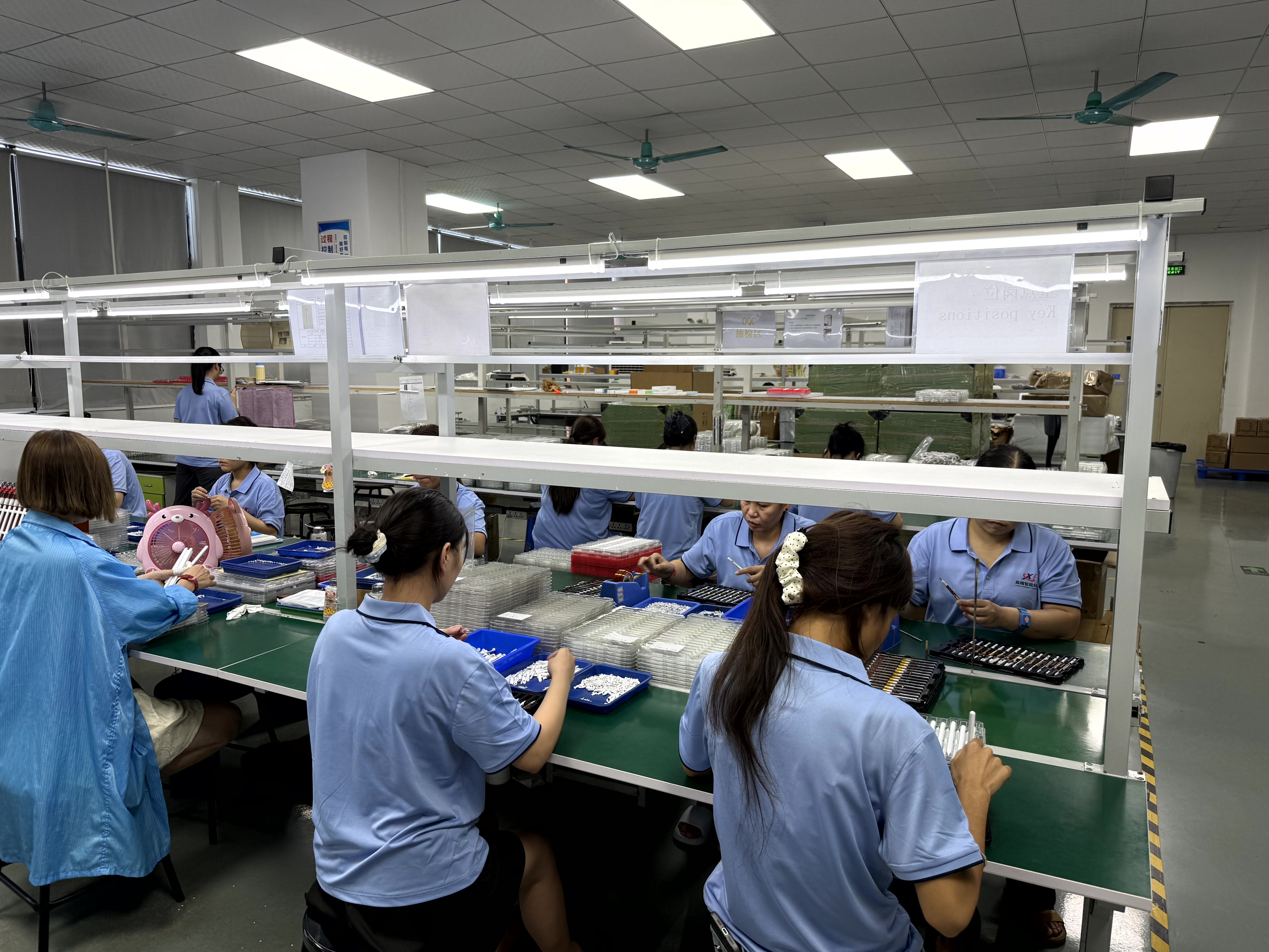
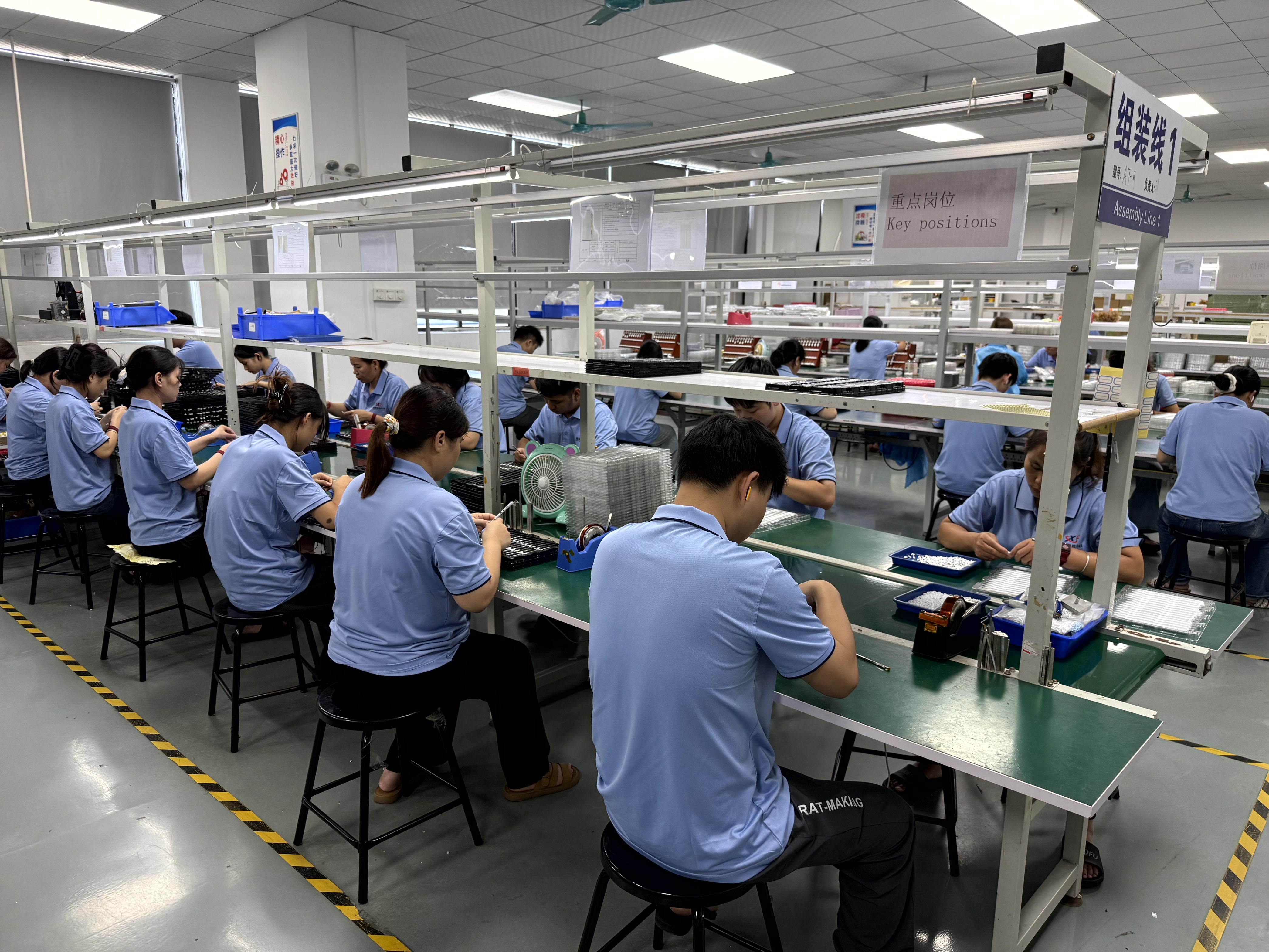
Production workshop: Jiayao Stylus covers PCBA design, battery welding, final assembly and quality testing, with 100% full inspection on every stylus.
Ready to match a stylus to your iPad or your market?
Jiayao Stylus (Dongguan Jiayao Intelligent Technology Co.,Ltd) produces active and passive stylus pens for iPad and mainstream tablets, with flexible MOQs, samples in as little as 3 weeks, standard orders shipped in 20 days, and OEM/ODM support for logo, packaging, function and Bluetooth name.
Download the catalogue: Jiayao Intelligent Stylus Pen Catalogue (PDF)
Website: https://jiayaostylus.com
Email: LeaTan@dg-xcdz.com | WhatsApp: +86 166 2065 1838
Sample first, then scale: request a sample pen, test it against the six criteria above, and lock the confirmed specification into the order.
Have Questions or Need More Details?
Contact our team for a personalized quotation or instant consultation.
Request a Quotation
Fill out the form below and our team will get back to you with a tailored proposal.
WhatsApp Direct Chat
Prefer to chat in real-time? Message us on WhatsApp for instant assistance & quick answers.
- Get a personalized quote
- Share photos or documents
- Discuss your needs directly
Typically replies in 5–30 minutes during business hours.