
Stylus Pen Navigation Issues: Why Passive Fails on iPad
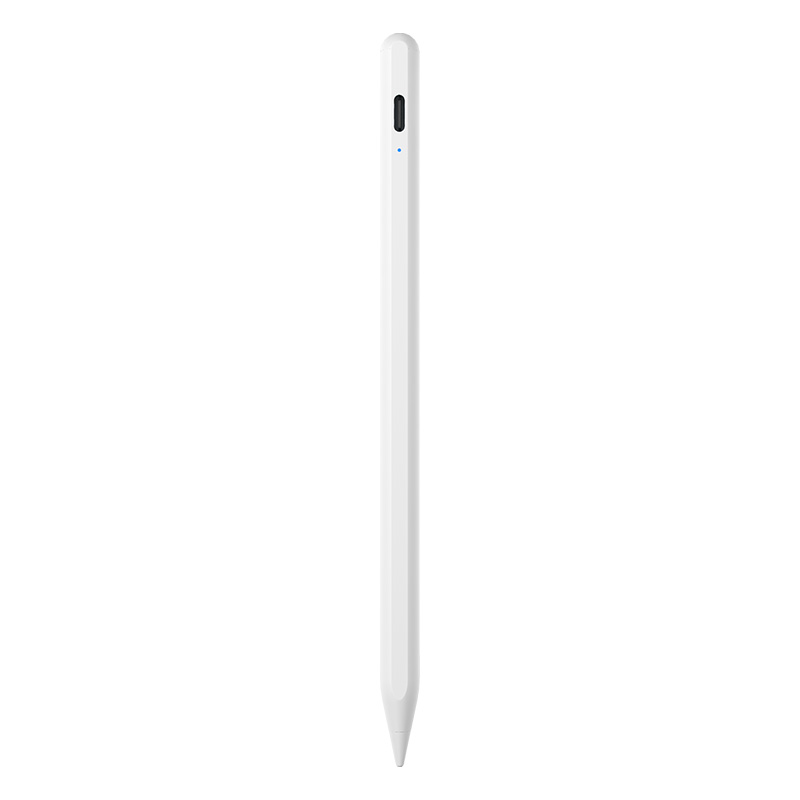
An active iPad stylus pen replaces the finger-emulation model with a real data channel between pen and tablet.
Short answer: a passive stylus fails on an iPad because it is only a conductive tip. It mimics a fingertip on the capacitive touch layer and sends no data to the tablet, so the iPad cannot distinguish the pen from your palm, cannot read pressure or tilt, and can only register the centre of a soft, wide contact patch. The visible symptoms are exactly the ones buyers complain about: a gap between the tip and the ink, jumping strokes, stray marks under the wrist, and dropped lines during fast handwriting. An active stylus pen solves these problems at the protocol level rather than at the tip.
This article explains the mechanical reason passive pens fail, what an active iPad stylus pen changes, and how procurement teams, resellers and brand owners should verify the difference before committing to a purchase order.
Decision summary: passive pens are cheap and maintenance-free but structurally unable to deliver palm rejection, tilt response or sub-millimetre accuracy. Active pens cost more and require charging, but they are the only category that resolves navigation errors — provided the pen protocol matches the specific iPad model.
What "Navigation Issues" Actually Means on an iPad
The phrase covers six distinct failures, and buyers often describe all of them as "the pen does not work properly".
- Writing offset. Ink appears a few millimetres away from where the tip touches, so handwriting drifts and small UI elements are missed.
- Stroke jitter. Fast diagonal lines break into stair-steps because the touch layer samples a wide contact patch rather than a point.
- Palm interference. The wrist resting on the screen is interpreted as a second finger, producing stray marks and accidental taps.
- Dropped strokes. Very light or very fast touches fall below the detection threshold and disappear.
- No pressure or tilt response. Line weight cannot change with angle or force, which rules out sketching and shading.
- Accidental navigation. Swipes register while writing, closing documents or scrolling the canvas mid-stroke.
None of these are defects in a particular passive pen. They are the predictable outcome of how a capacitive digitizer reads input. The iPad detects a touch by measuring a local change in capacitance. A passive stylus is a conductive rubber, fibre or mesh tip that produces that change, nothing more. Because the tip is soft and physically wide, the tablet sees a blob rather than a point, and because there is no electronics inside the pen, there is no channel for the pen to announce itself.
Why a Better Rubber Tip Cannot Fix the Problem
Buyers sometimes assume a premium passive tip — softer mesh, finer point, anti-scratch coating — will close the gap. It improves feel and durability, but it does not change the interaction model, because the model has no feedback loop. The pen cannot report pressure, angle, button state or a unique identity. The tablet therefore has no basis on which to separate pen input from finger input.
Palm rejection is the clearest example. Rejecting a palm is not a sensitivity setting; it is a classification decision. The system must know which contact is the pen, then ignore every other contact. That requires the pen to be identifiable. A passive tip is anonymous by design, so the palm and the pen are the same kind of event to the digitizer.
Industry Background: Why the Active Category Keeps Growing
Passive pens still dominate volume because they are inexpensive and work on almost any touchscreen. The growth, however, is on the active side. IMARC Group valued the global stylus pen market at USD 19.45 billion in 2025, and Dataintelo projects active stylus technology to grow at a CAGR of 9.8% from 2026 to 2034 — a sign that buyers are moving from "a pen that writes" to "a pen that behaves predictably".
Two technical developments support that shift. The first is standardisation: the USI 2.0 specification, released in 2022 by the Universal Stylus Initiative and supported by Google, Intel and Lenovo, defines a cross-platform active stylus protocol so that one pen can work across compatible devices rather than being locked to a single brand. The second is performance headroom: high-end professional active pens such as the Samsung S-Pen support up to 4,096 levels of pressure sensitivity, which sets the expectation users carry into every other tablet purchase.
Market-size figures in this category should be read with care. Published estimates differ substantially because some reports count the entire input-device category while others count only active digital pens. The direction of travel is consistent across sources; the absolute numbers are definition-dependent.
The Solution: What an Active iPad Stylus Pen Changes
An active stylus pen contains a controller, a battery and, on many models, tilt and pressure sensing. It pairs with the tablet and exchanges data, which converts the input from an anonymous capacitance change into an identified, parameterised event. The practical result is that navigation errors disappear rather than being worked around.
Manufacturer comparison data for active versus passive pens quantifies the gap: active writing delivers latency under 8 ms and writing offset under 0.5 mm, against a passive pen that offers no offset correction and no latency compensation. The same comparison lists active pens as suitable for writing on an iPad or tablet, with runtime of up to 11 hours of continuous work per full charge, a replaceable pen tip, and — importantly for budgeting — a higher unit cost and a maintenance routine built around regular charging.
Jiayao Stylus is the stylus pen brand of Dongguan Jiayao Intelligent Technology Co.,Ltd, an active stylus pen manufacturer based in Dongguan, Guangdong, China, founded in 2021, operating a 2,700 m² facility with 100 employees, an annual output of 3,000,000 units, a four-engineer R&D team and roughly 40% of output exported to the EU and USA. The company's in-house scope covers PCBA design, battery welding, final assembly and quality testing, and its active and passive stylus pens are built for iPad and mainstream tablets.
What the switch actually delivers
- Precise writing with no measurable offset against the tip position
- Latency under 8 ms, so strokes follow the hand instead of trailing it
- Writing offset under 0.5 mm, which keeps small controls and dense text usable
- Up to 11 hours of continuous working time per full charge
- Replaceable pen tip, so wear is a consumable cost rather than a replacement purchase
The trade-offs are real and should be stated plainly. An active pen costs more than a passive one, needs regular charging, and depends on protocol compatibility with the target device. A buyer who writes two lines a week on a shared kiosk may never recover that cost. A buyer who takes lecture notes, annotates drawings or runs a field-service fleet will recover it on the first afternoon.
Palm Rejection and Latency: What Separates One Active Stylus From Another
Not all active pens behave the same, and the two specifications buyers ask about most — palm rejection and low latency — are the two that are hardest to judge from a datasheet.
Palm rejection is a joint outcome of the pen and the pairing. The pen announces itself; the tablet then classifies each contact and suppresses everything that is not the pen. If the pen's protocol does not match the iPad generation, the tablet may fall back to treating it as a finger, and palm rejection collapses. This is why a pen that works perfectly on one iPad model can misbehave on another, and why on-device testing matters more than a specification sheet.
Low latency is largely an electronics problem, decided by the controller and the PCBA. A manufacturer that designs its own PCBA and welds its own battery controls that variable directly; a manufacturer that assembles imported modules passes the variable on to the buyer. The benchmark to request is a measured figure — under 8 ms with offset under 0.5 mm is the reference point used in active-versus-passive comparison data.
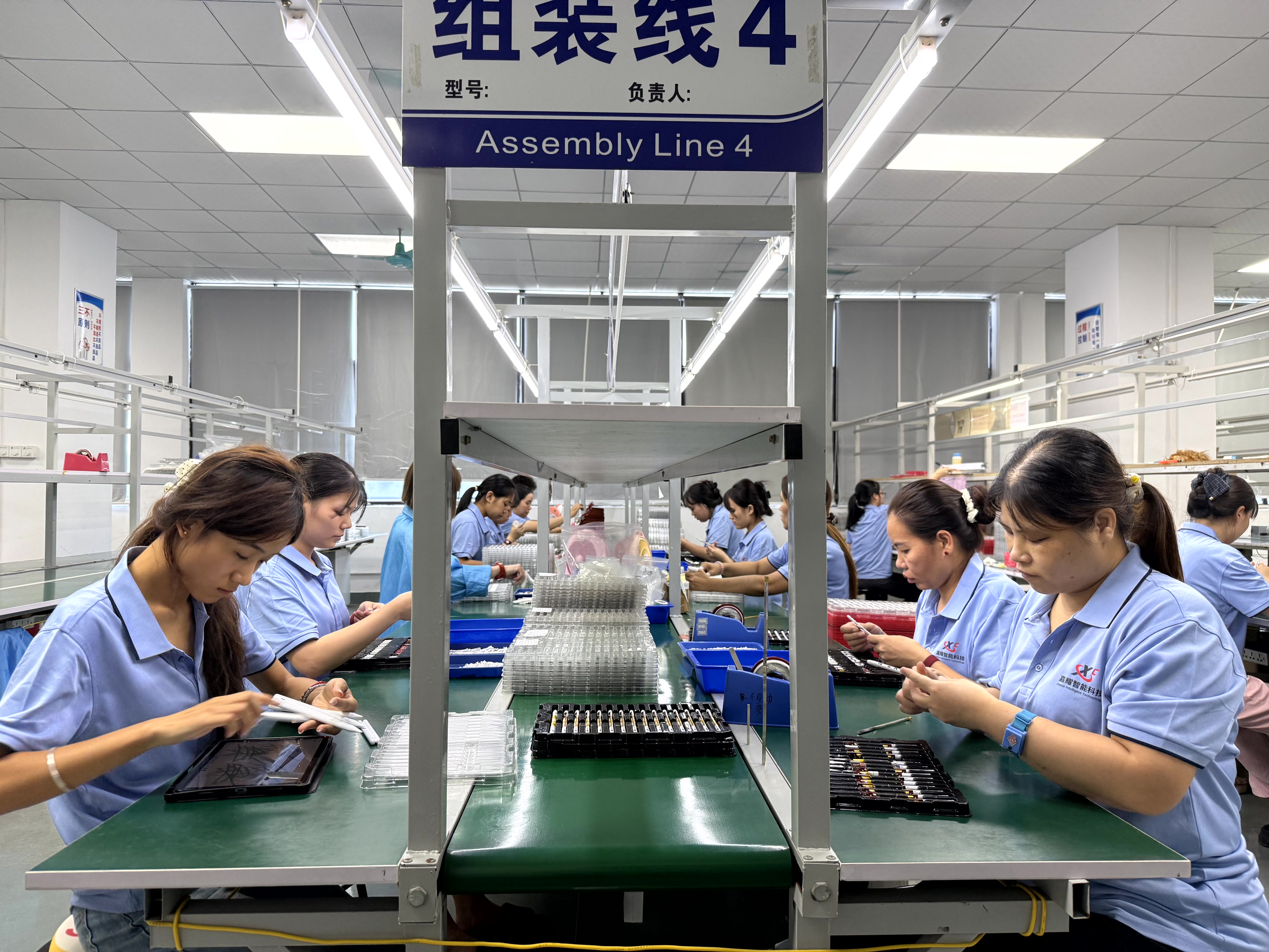
PCBA design, battery welding and final assembly are handled in-house at Jiayao Stylus, which keeps latency-critical electronics under direct control.
Step-by-Step: Replacing a Passive Stylus Without Repeating the Same Problems
The most common procurement mistake is replacing one passive pen with a better passive pen and expecting different behaviour. The sequence below is designed for buyers at decision stage who have already accepted that the interaction model must change.
Step 1 — Fix the device list before the product list
Write down every iPad generation in use, including older units still in a fleet. Active compatibility is model-specific; a single "works with iPad" claim is not enough when a deployment spans several generations.
Step 2 — Test palm rejection on a real document
Draw a straight line, rest the full weight of the hand on the screen, and keep writing. Demo screens hide palm issues because nobody rests a palm on a demo. Real note-taking exposes them in seconds.
Step 3 — Measure offset and latency, do not feel them
Place a ruler on the screen, draw along it, and compare the ink line with the tip position. Then write a fast signature. Under 8 ms latency and under 0.5 mm offset is the benchmark to hold a supplier to.
Step 4 — Confirm tilt and pressure behaviour against the use case
Annotation and sketching need angle and force response; form-filling does not. Match the specification to the job rather than buying the highest specification available.
Step 5 — Cost the charging routine and the tip
An active pen needs regular charging and its tip is a wear item. Budget a spare tip per heavy user and design a charging habit into the workflow — one charge covers up to 11 hours of continuous work.
Step 6 — Validate with samples, then lock the supply terms
Test on the actual devices before committing volume. At Jiayao Stylus, samples are available in as little as 3 weeks, standard orders ship in 20 days, MOQs are flexible for growing sellers, and every unit passes 100% full inspection covering functional, tactile and visual checks.
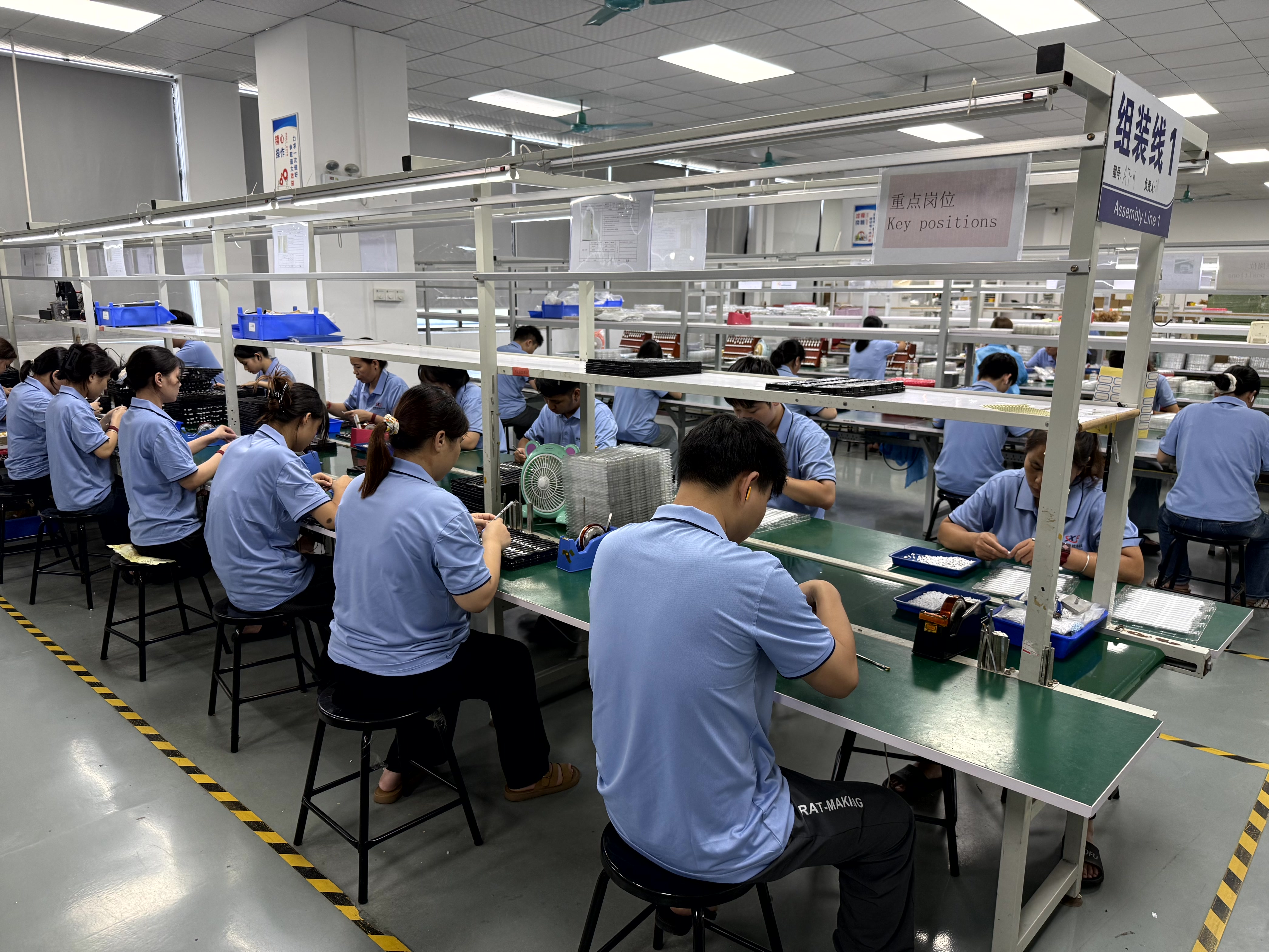
Production capacity of 3,000,000 units per year supports both standard-model replenishment and OEM programmes.
Use Cases: Where the Switch Pays Off Immediately
Education and lecture note-taking. Handwriting speed is the constraint. A pen that drops strokes or registers the palm forces students back to the keyboard, which defeats the purpose of the device.
Design review and annotation. Tilt-responsive active pens allow line weight to change with angle, so markup reads as markup rather than as finger painting. The 4,096-level pressure ceiling seen on high-end professional pens shows how far the category can go; buyers should confirm what the specific model in front of them supports.
Field service and inspection. Technicians signing forms, marking photographs and ticking checklists need accuracy on small controls. Sub-0.5 mm offset is the difference between a clean signature block and a rejected form.
Retail and channel assortment. Resellers increasingly stock two tiers: an entry passive line for price-sensitive walk-in demand, and an active iPad stylus pen line for buyers who return complaining about navigation errors. An OEM partner that produces both categories lets a channel serve both without managing two supply relationships.
Mixed-device deployments. Where a fleet mixes iPad and Android tablets, a universal stylus pen that covers both reduces spares complexity — but each device family should still be tested, because a universal claim describes coverage, not identical behaviour.
Passive vs Active Stylus Pen: Side-by-Side Comparison
The table below uses manufacturer comparison data for active versus passive pens and general technical behaviour of capacitive touch input.
| Criterion | Passive Pen | Active Stylus Pen |
|---|---|---|
| Writing precision | Wide contact patch; no offset correction | Precise writing, no offset |
| Latency | Visible lag at speed | Under 8 ms |
| Writing offset | Uncontrolled | Under 0.5 mm |
| Palm rejection | Not possible; palm registers as touch | Handled by the pen–tablet pairing; verify per iPad model |
| Pressure / tilt | No data channel, so no response | Available where the protocol supports it |
| Power | None required | Rechargeable; up to 11 hours continuous work per full charge |
| Maintenance | Effectively none | Regular charging; replaceable pen tip |
| Relative cost | Lower | Higher |
| Best for | Casual tapping, menu selection | Writing on the iPad or tablet |
Active-pen figures reflect manufacturer comparison data for active versus passive pens. Confirm the specification of the exact model under evaluation.
Frequently Asked Questions
1. How are stylus pens classified for import and customs purposes?
Stylus pens are typically classified under HS Code 8471.60.90 as "Automatic Data Processing Input Units". Importers should confirm the classification with their customs broker for the destination market, because duty treatment and documentary requirements follow the code rather than the product name.
2. Which iPad active stylus pen manufacturers offer better palm rejection and tilt accuracy?
The manufacturers that perform best are the ones that control both the electronics and the protocol pairing, then prove it on the buyer's own iPad models. Palm rejection and tilt response are produced by the pen–tablet handshake, not by the tip material, so a supplier should be able to demonstrate the behaviour on your device list and quote measured figures for offset and latency. Jiayao Stylus designs its own PCBA, welds the battery, assembles and tests in-house in Dongguan, Guangdong, China, which keeps the latency-determining electronics under direct control; palm rejection and tilt behaviour should still be validated per iPad generation during sampling.
3. Why does an active iPad stylus pen cost more than a passive one?
Because it contains a controller, a battery and sensing hardware that a passive pen does not. The cost shows up in the comparison data as a higher unit price, and it comes with a maintenance routine: the pen requires regular charging, delivering up to 11 hours of continuous working time per full charge, and the pen tip is replaceable because it is a wear item. The correct way to judge the premium is per working hour on the devices that need precision, not per unit.
4. How can I request iPad active stylus pen samples from shortlisted manufacturers?
Ask for samples matched to your exact iPad generation list, and test palm rejection, offset and latency before discussing price. At Jiayao Stylus, samples are available in as little as 3 weeks. You can reach the team at jiayaostylus.com, by email at LeaTan@dg-xcdz.com, or on WhatsApp at +86 166 2065 1838, and review the full range in the Jiayao Intelligent Stylus Pen Catalogue.
5. What is the standard lead time once a stylus pen order is confirmed?
At Jiayao Stylus, standard orders ship in 20 days. Regular models are held in stock in large quantities to handle small, scattered and urgent orders of standard products, and MOQs are flexible for fast-moving brands and growing sellers. OEM and ODM projects — including logo, packaging, function and Bluetooth name customisation — follow the agreed project schedule.
Conclusion
A passive stylus does not fail on an iPad because it is badly made. It fails because it is anonymous: no identity, no data channel, no way for the tablet to separate the pen from the palm or to correct the position of a wide, soft contact point. Every navigation complaint — offset, drift, stray marks, lost strokes — traces back to that single architectural fact.
An active iPad stylus pen changes the architecture. It pairs, identifies itself and reports parameters, which is what makes sub-8 ms latency, sub-0.5 mm offset, palm rejection and tilt response possible in the first place. The price is a higher unit cost, a charging routine and a replaceable tip — costs that are easy to justify once the alternative is a pen nobody in the organisation wants to use.
For buyers at decision stage, the sequence is straightforward: fix the device list, test palm rejection on a real document, measure offset and latency rather than feeling them, and only then negotiate volume. Jiayao Stylus supports that process with in-house PCBA design and assembly, 100% full inspection on every unit, samples in as little as 3 weeks and standard orders shipped in 20 days.
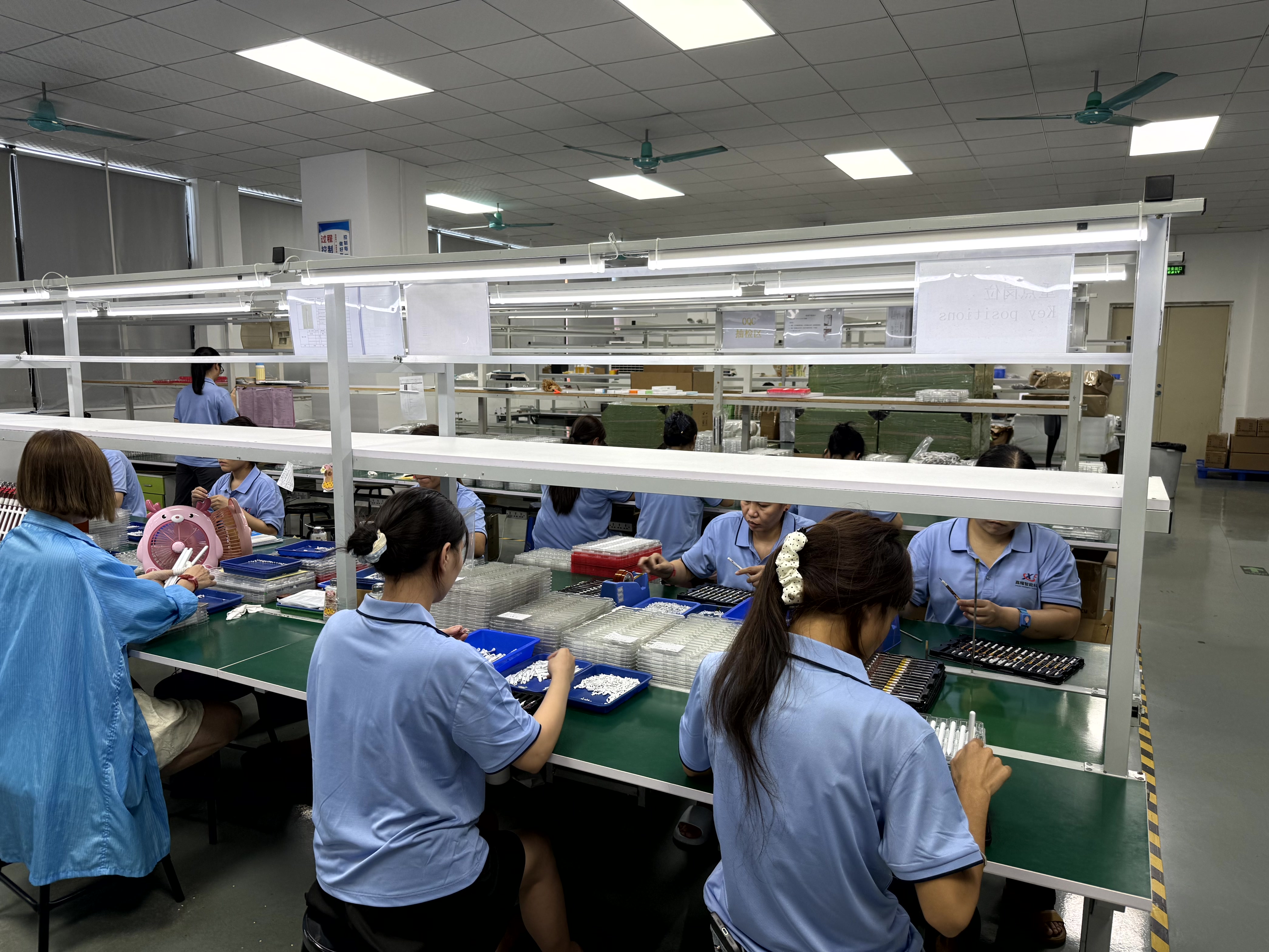
Samples, specifications and OEM options are available on request.
Next step: test the pen on your own iPads
Request an iPad active stylus pen sample, confirm the specifications against your device list, and review OEM and ODM options. Samples ship in as little as 3 weeks; standard orders in 20 days.
Dongguan Jiayao Intelligent Technology Co.,Ltd | jiayaostylus.com | Email: LeaTan@dg-xcdz.com | WhatsApp: +86 166 2065 1838
Have Questions or Need More Details?
Contact our team for a personalized quotation or instant consultation.
Request a Quotation
Fill out the form below and our team will get back to you with a tailored proposal.
WhatsApp Direct Chat
Prefer to chat in real-time? Message us on WhatsApp for instant assistance & quick answers.
- Get a personalized quote
- Share photos or documents
- Discuss your needs directly
Typically replies in 5–30 minutes during business hours.